Understanding What apt update / install / upgrade Do
Contents
When installing packages on Ubuntu, I had been using
sudo apt update
sudo apt install <package>
sudo apt upgrade
without really understanding them.
This post sorts out what apt update / install / upgrade actually do.
| Command | What it does |
|---|---|
| apt update | Fetches the latest package lists and refreshes the package index kept locally |
| apt install | Fetches the needed files based on the local index and installs them |
| apt upgrade | Brings installed packages up to date |
From here, I follow what each command does.
apt update fetches the package lists and refreshes the package index kept locally.
When you run apt update, the lists are fetched from apt repositories. Files such as
- /etc/apt/sources.list
- /etc/apt/sources.list.d/*.list
define where the apt repositories are, and apt fetches metadata such as each repository's InRelease.
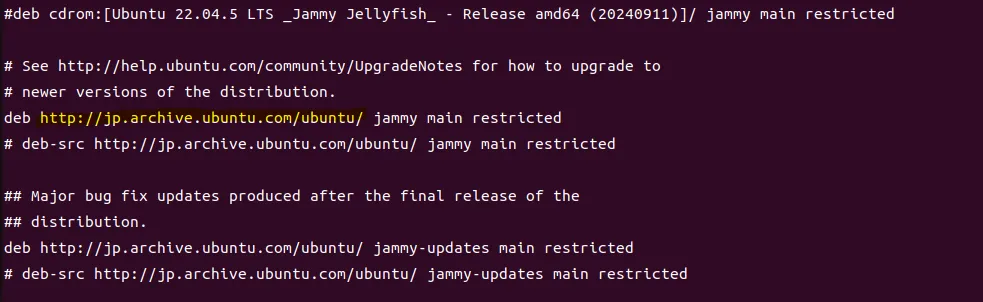
https://jp.archive.ubuntu.com/ubuntu/dists/jammy/InRelease
You can check the fetched InRelease files with the following command.
ls /var/lib/apt/lists/Files like these are listed there.
jp.archive.ubuntu.com_ubuntu_dists_jammy-backports_InRelease
jp.archive.ubuntu.com_ubuntu_dists_jammy-backports_main_dep11_Components-amd64.yml.gz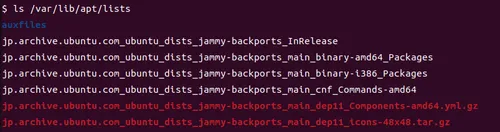
Each file contains metadata for each package.
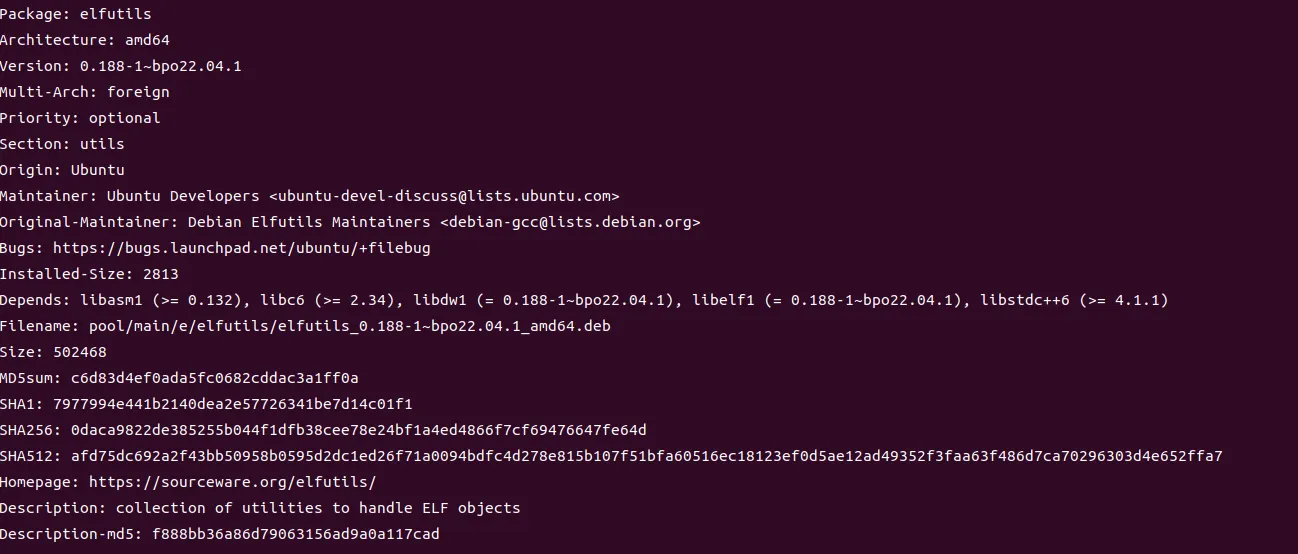
The actual install later uses this metadata.
Checking the actual requests with debug output

→ I could confirm that it actually sends GET requests.
Based on the index fetched by apt update, it does the actual package installation.
Note
Unlike npm and similar tools, it does not go looking on the internet directly. It installs based on the index fetched by update.
Based on the index, it downloads the .deb file for the specified package and saves it in /var/cache/apt/archives/.

Then it installs from the .deb file using dpkg and saves the package state locally.
You can check the saved package state with the following command.
less /var/lib/dpkg/status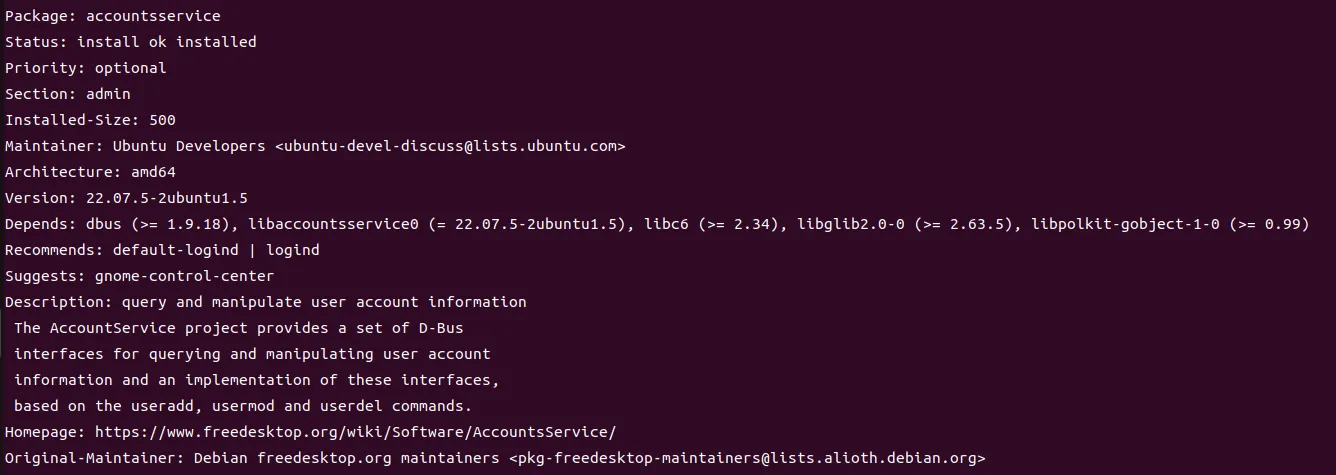
apt upgrade updates packages that are already installed based on the index.
It compares
- the latest information fetched by update (/var/lib/apt/lists)
- the information saved at install time (/var/lib/dpkg/status)
and replaces the .deb files for packages that can be replaced without removing packages or adding new ones.
(For updates that need dependency changes, use apt full-upgrade.)
I sorted out commands I had been using without really understanding them. I hope this helps anyone else who has been using apt by feel.
Translated from the Japanese original.
Thanks. I'll look into it.
Sorry, that didn't go through. Please try again later.